Log in and read your dashboard
For: everyone (owner, manager and viewer).
The dashboard is your home page. You can immediately see how your business is performing: revenue, number of orders and the latest orders.
Go to your console address and click Log in. You will be securely redirected to the login screen.
Enter your email address and password. After logging in, you will be taken to the Dashboard.
Read the key figures at the top: Total revenue, Total orders and Average order value.
Choose the period you want to view using the date picker in the top right.
At the bottom you will find Recent orders and your best-selling items.
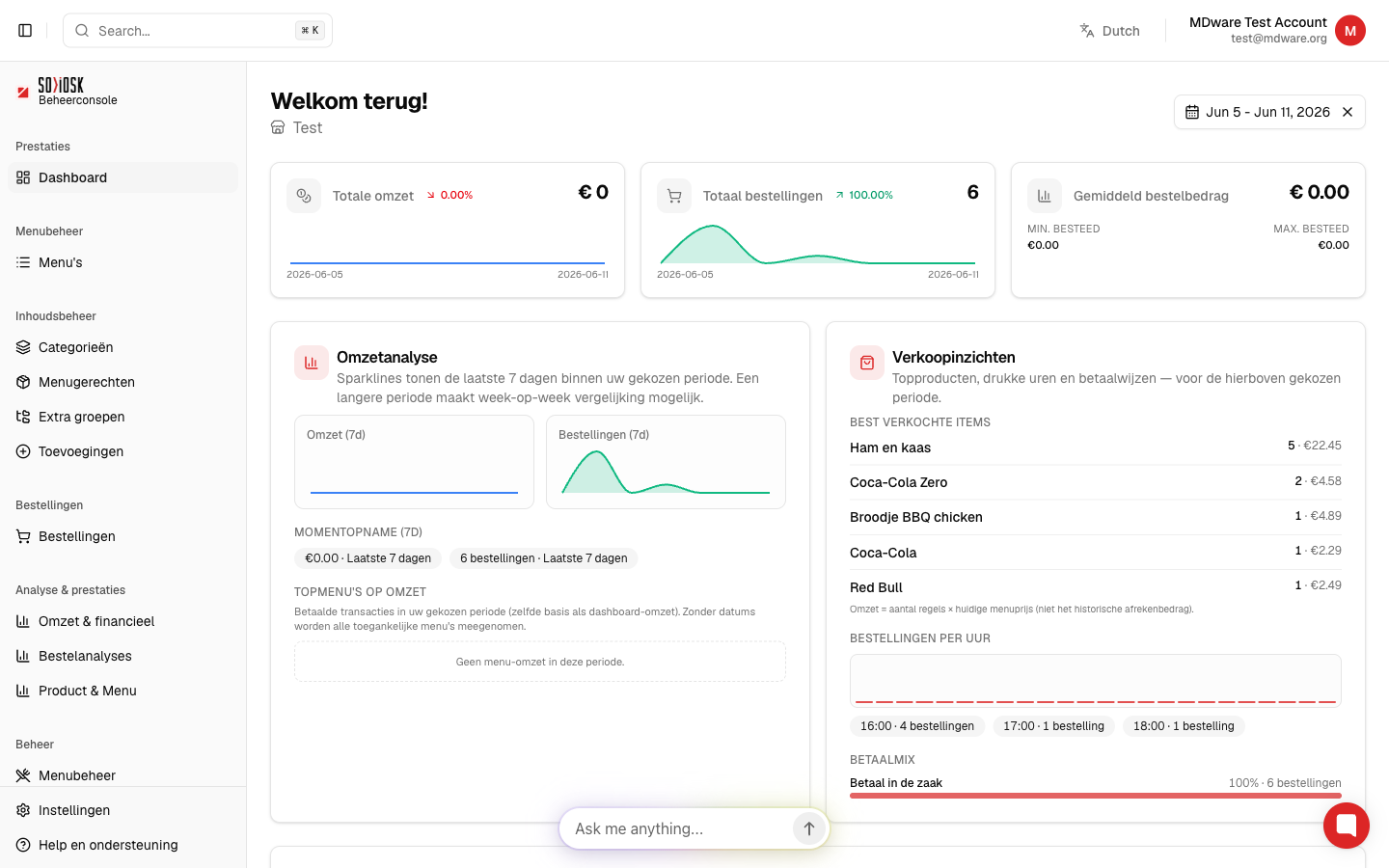
Tip: switch the console language using the language button in the top right (e.g. from English to Dutch).
Note: if you see an activation page after logging in, your account is not yet active. Ask the owner of the business to activate your access.