
View your menus
For: manager and owner.
Under Menus you will find all your menus in one place. For each menu you can see the most important information at a glance.
Click on Menus in the left menu.
View in each row the Type (kiosk, QR ordering, online pickup or delivery), the Sync (connected cash register, e.g. Lightspeed), the Language and the Currency.
Click on Preview to open the menu as your customer sees it.
Use the toggle switch in the Actions column to put a menu online or offline.
Use the search field at the top to search by name, description or menu hash. At the bottom you can navigate through the pages using Previous and Next.
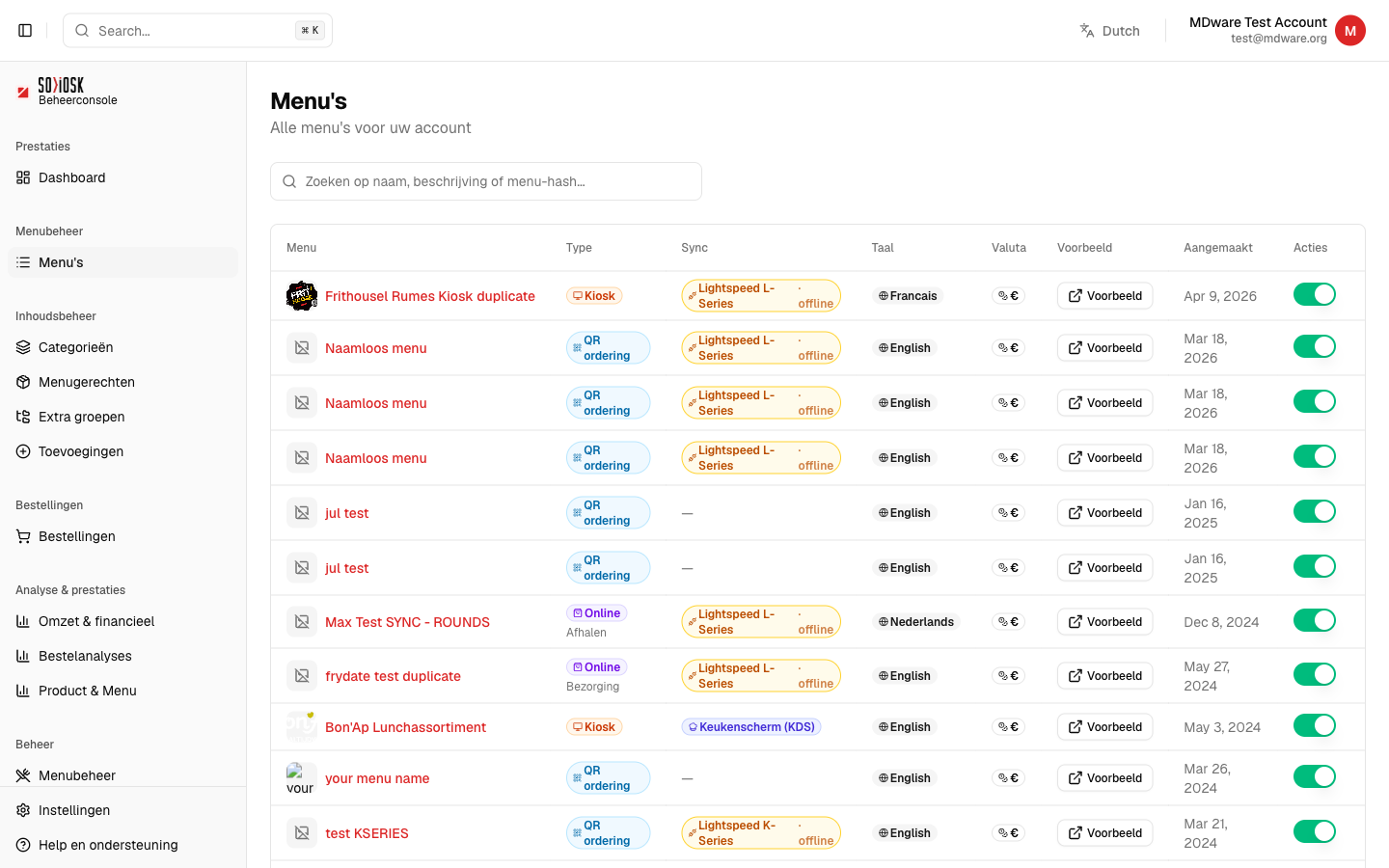
Click on the name of a menu to open and edit it.