Menu detail and menu layout
For: manager and owner.
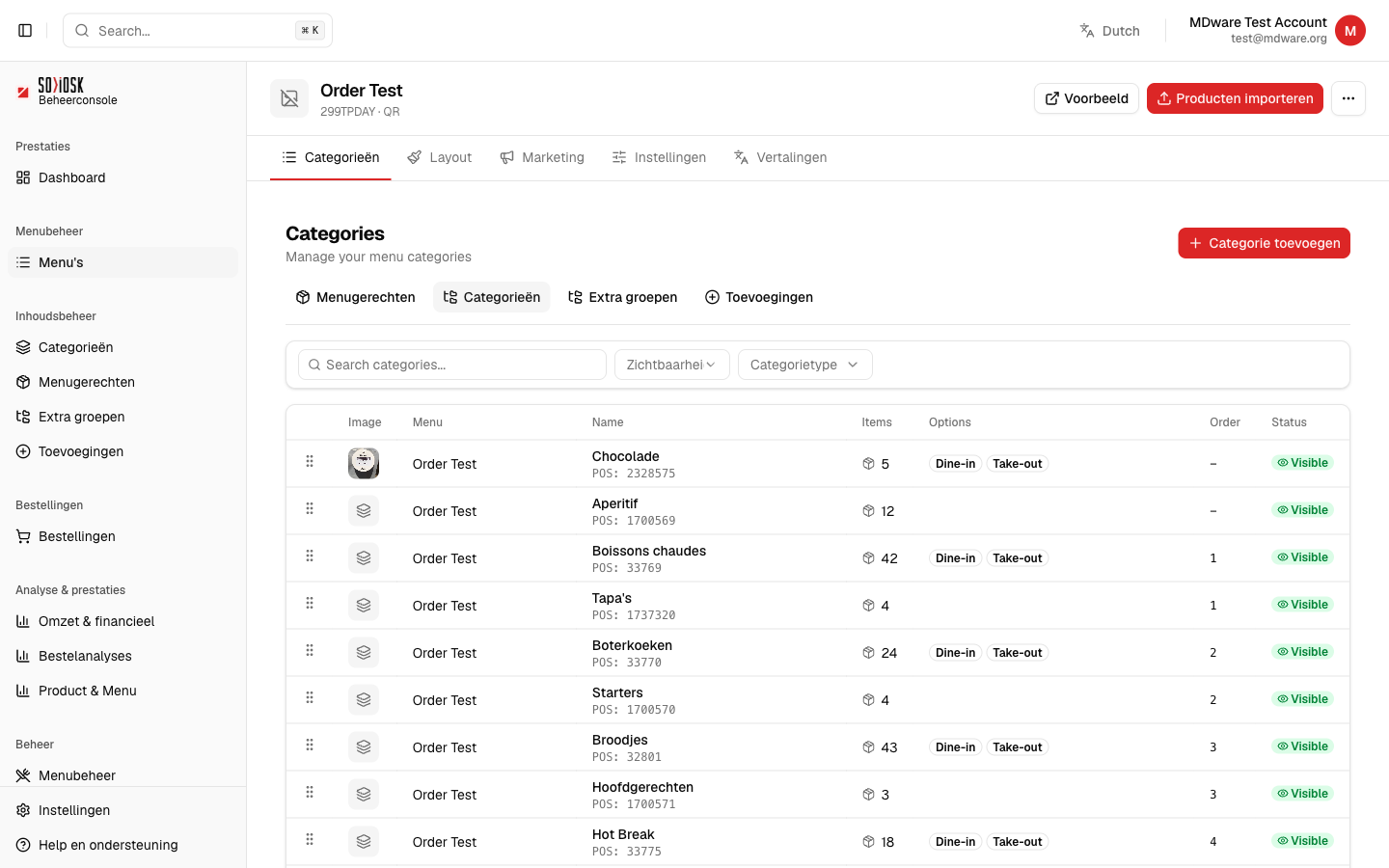
When you open a menu, you arrive at the detail page. At the top are the tabs with which you manage everything about that menu.
Open a menu via Menus and click on the name.
Use the tabs: Categories (card structure), Layout (appearance), Marketing (upsell and vouchers), Settings and Translations.
In the top right you will find Preview (shows the menu as your customer sees it) and Import Products.
Customize the appearance (Layout)
Click on the Layout tab.
At Menu logo, click Change Logo to upload your logo or provide an image URL.
Under Customization settings, you set the colors and appearance of the kiosk. Click Save to save.
Click Apply to load the Live preview on the right and check your changes.
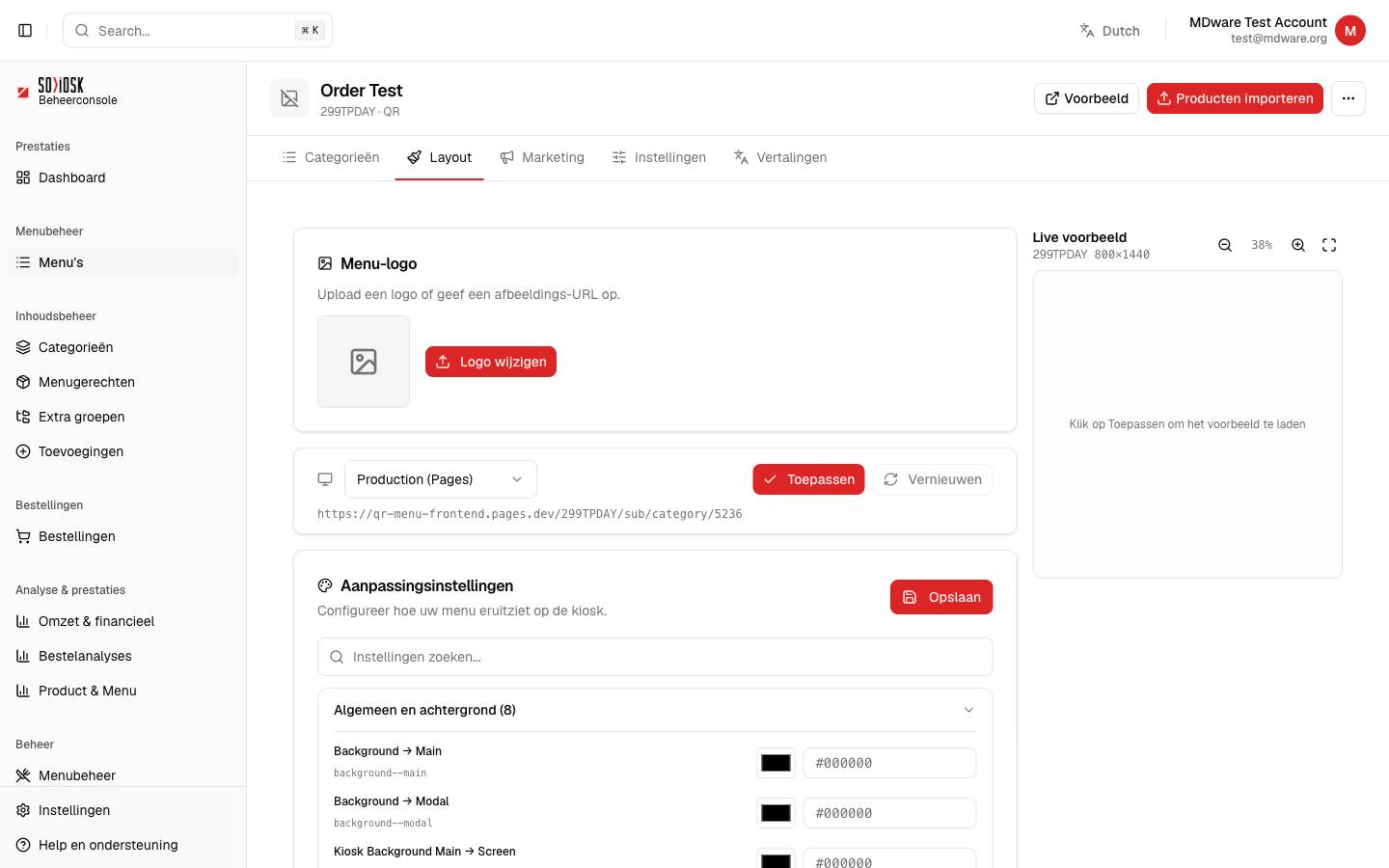
Note: after making changes, click Save and then Apply, otherwise your customers will not see the change.