Menu settings
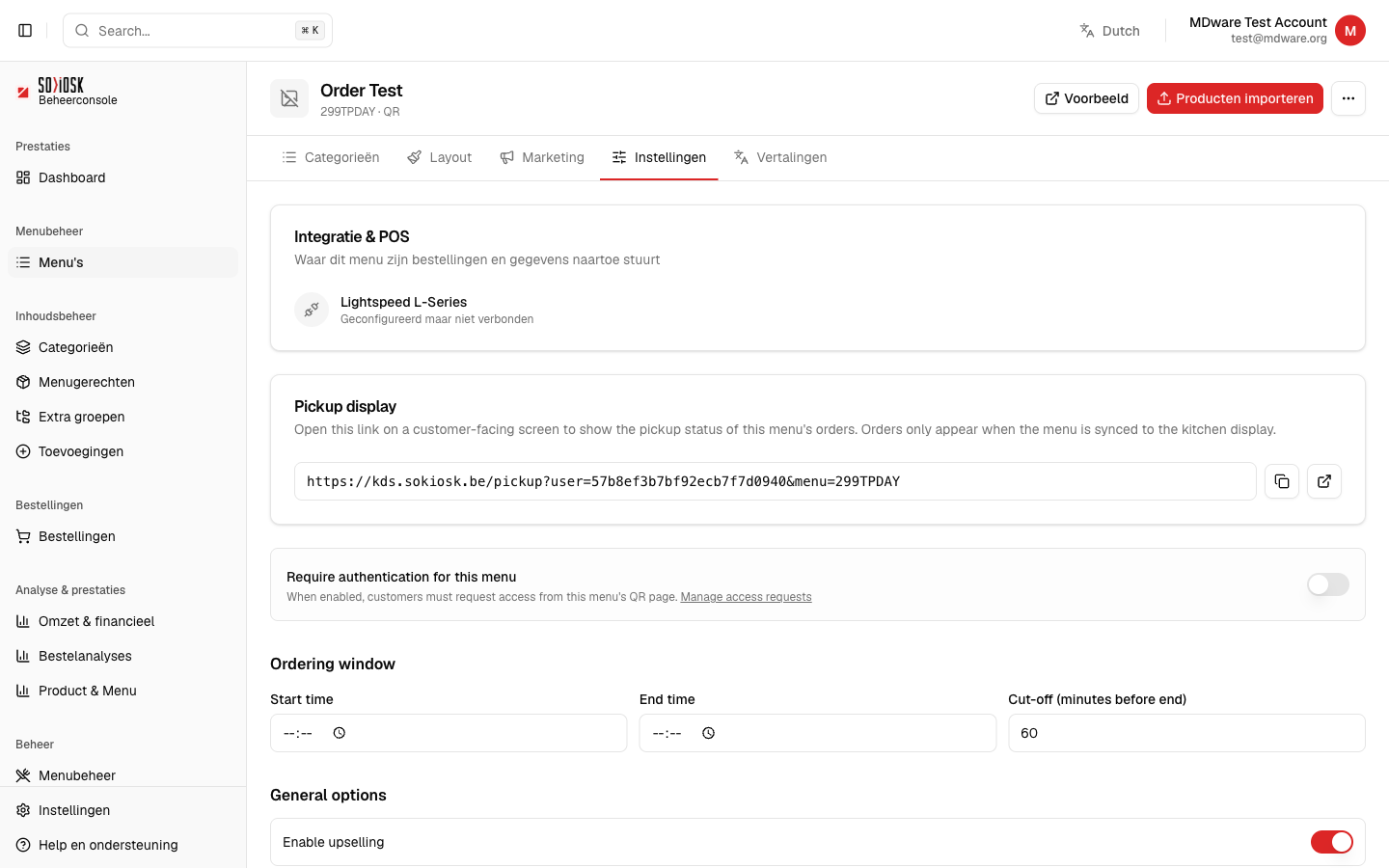
In the Settings tab of a menu, you configure how that specific menu works: where orders are sent, when customers can order, and which options are enabled.
For: manager and owner.
Open a menu and click on the Settings tab.
Under Integration & POS, you can see which cash register this menu sends its orders to (e.g. Lightspeed) and whether the connection is linked.
Pickup display gives you a link that you can open on a customer screen to display the pickup status. Orders only appear once the menu has been synchronized to the kitchen screen.
With Ordering window, you set a start and end time and a cut-off (minutes before the end when ordering stops).
Under General options, you can turn features on or off, such as upselling.
Note: these settings apply only to this specific menu. General business settings can be found in the main menu under Settings.