
Marketing: upsell and vouchers
For: manager and owner.
On the Marketing tab, you increase your revenue with discount codes (vouchers) and cross-selling (upsell). The tab has two sections: Vouchers and Cross-selling.
Discount codes (vouchers)
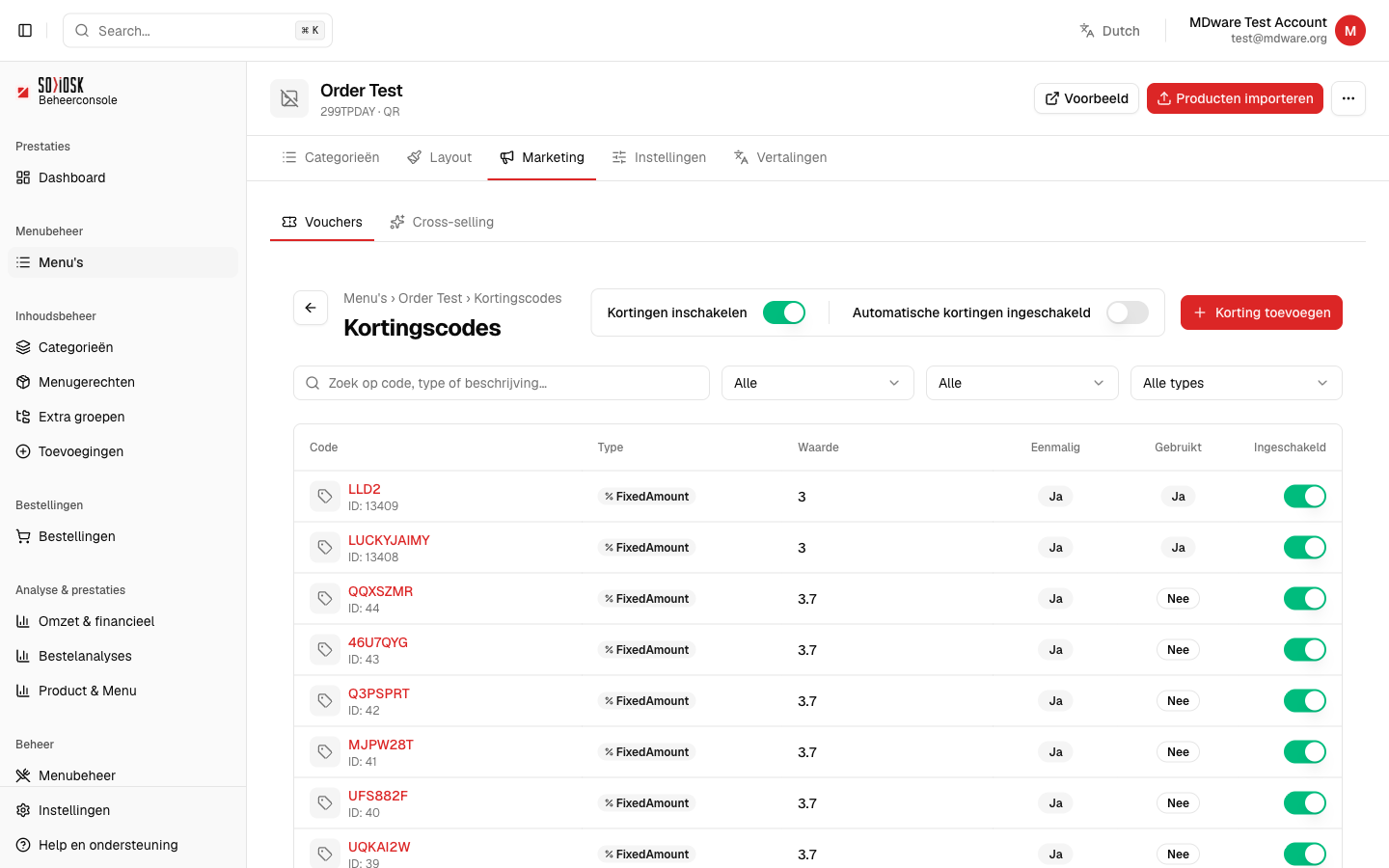
Open a menu, click on Marketing and then on Vouchers.
Turn on Enable Discounts to allow vouchers on this menu.
Click on Add Discount and enter the code, type (fixed amount or percentage) and value.
In the list you can see for each code whether it is one-time, has already been used and whether it is enabled. Use the toggle to turn a code on or off.
Cross-selling (upsell)
Under Cross-selling you set up upsell suggestions so that customers are offered additional products while ordering (e.g. a drink with a sandwich).